The Complete Microcontroller Development Boards Guide 2026
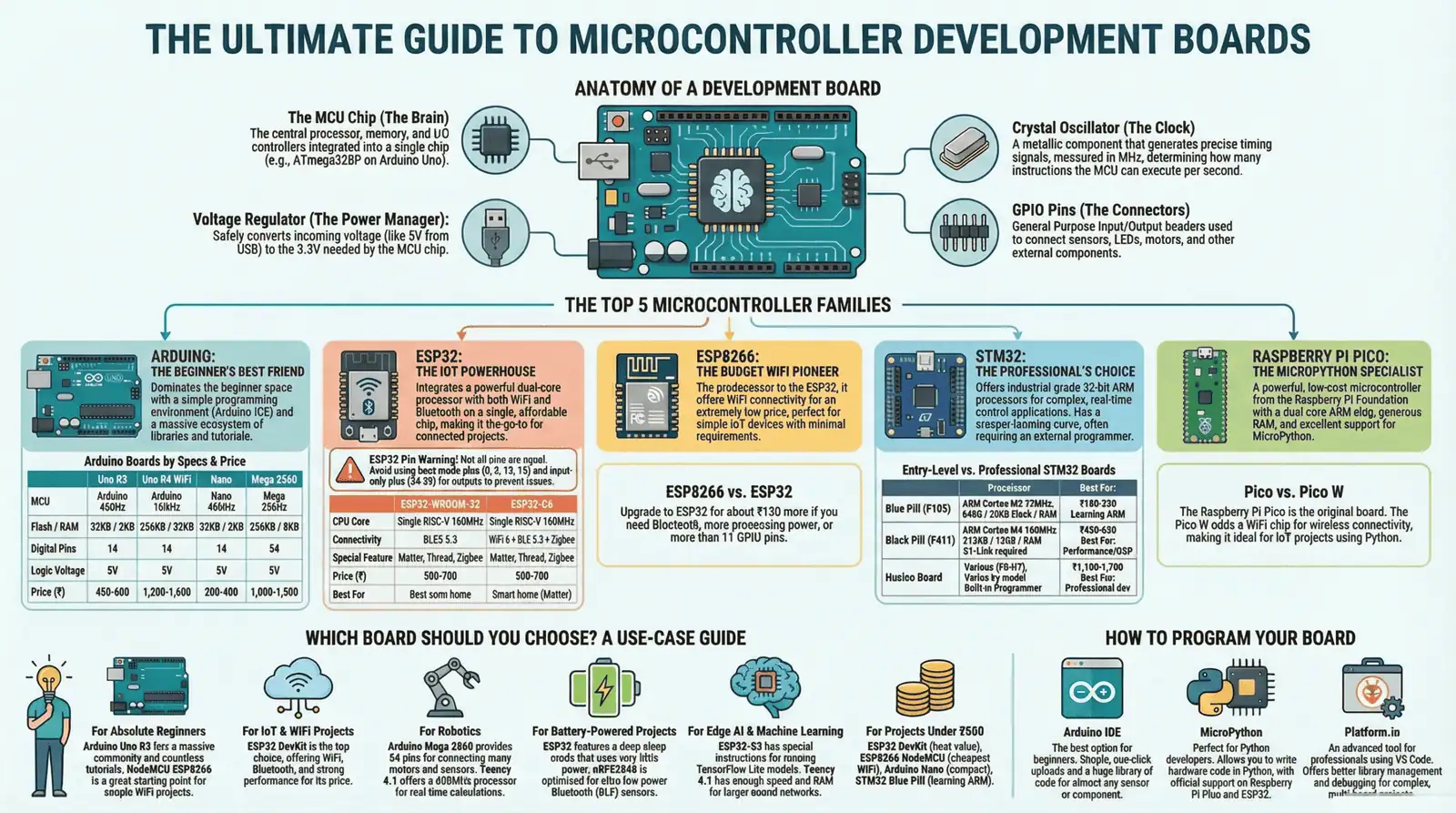
Complete Microcontroller Boards Infographic
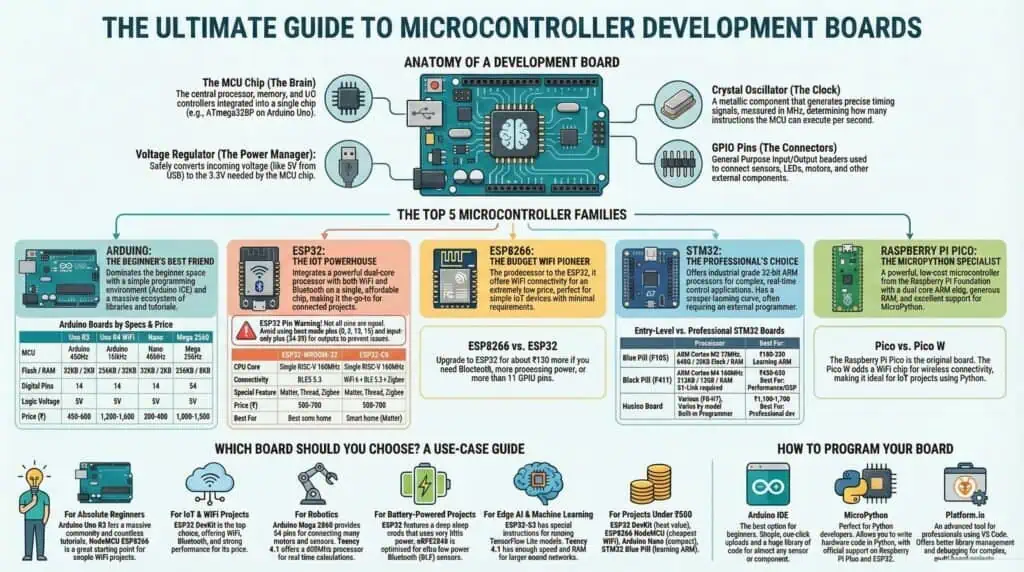
[Download High-Resolution Infographic Infographic]
Microcontroller Boards Guide – Quick Overview
Short on time? Listen to this 5-minute AI-generated overview summarizing the key points from this comprehensive guide. For complete technical details, specifications, code examples, and buying recommendations, continue reading the full guide below.
What Is a Microcontroller Development Board?
A microcontroller development board (or MCU board) is a ready-to-use circuit board with a programmable chip that executes one program really well. Unlike your laptop juggling multiple apps, this device runs a single program in an endless loop—perfect for dedicated jobs like monitoring sensors or controlling motors.
Here’s what makes dev boards beginner-friendly: everything comes pre-assembled. USB port, power regulation, and connection pins are already wired and tested. Plug it in, upload your code, and start building.
Why developers choose development boards over bare chips:
- Instant setup – No circuit design needed, just connect and code
- Built-in USB programmer – Upload code directly from your computer
- Safe power conversion – Handles voltage regulation automatically
- Accessible pins – All chip functions broken out to easy-connect headers
Beginners blink their first LED in minutes, not days. The board manages electrical complexities while you focus on programming and sensors.
How MCU Development Boards Work
An MCU board operates on one simple cycle: read sensors, process data, control outputs, repeat continuously.
Building a temperature monitor? The board checks the sensor voltage (input), compares it against your set threshold (logic), then activates a cooling fan if needed (output). This loop executes thousands of times each second, creating real-time responses.
The execution flow:
- Power on → Board loads your program from memory
- Setup → Configure which pins read sensors vs control devices
- Main loop → Check inputs, run your logic, update outputs
- Repeat → Runs step 3 endlessly until powered off
Unlike computers running operating systems, MCU boards execute your single program with zero distractions. This focused approach delivers reliable, predictable behavior—essential for automation and control systems.
Key Components Inside Every Microcontroller Board
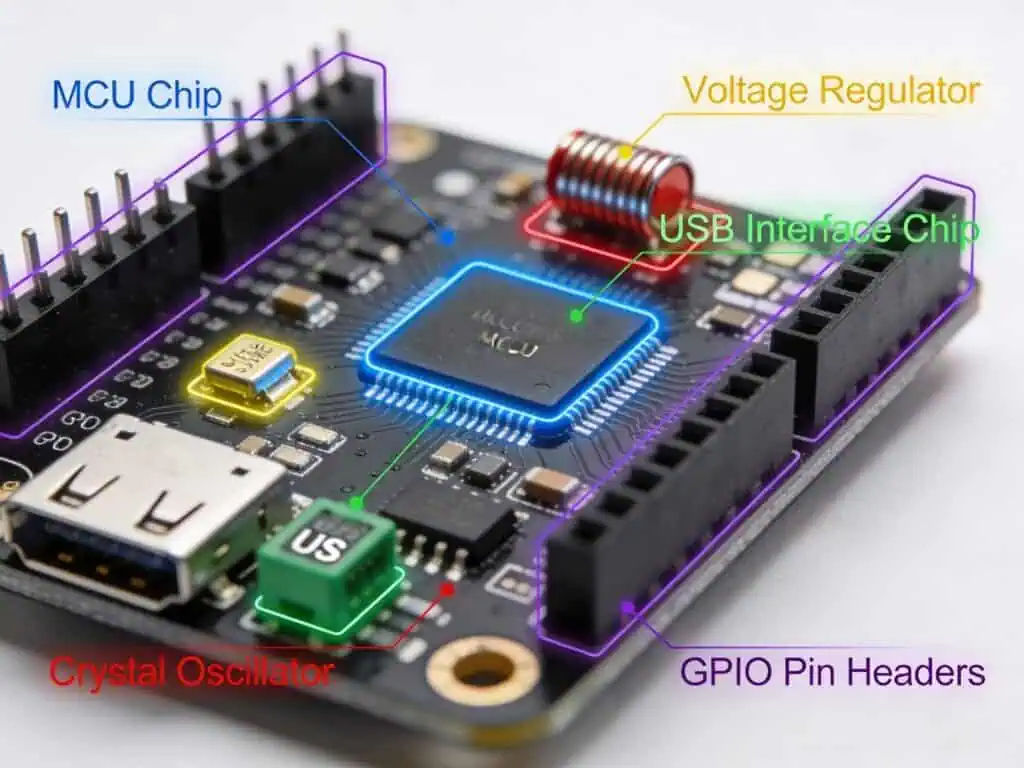
The MCU Chip (The Brain): That black square chip in the board’s center houses everything: processor, memory, and input/output controllers packed into one component. Arduino Uno uses ATmega328P, while ESP32 integrates dual processors plus wireless radios on a single chip.
Voltage Regulator (The Power Manager): USB supplies 5V, but modern MCU chips need 3.3V to operate safely. The voltage regulator—that small 3-pin component near the power connector—steps down and stabilizes voltage. This is why you can power boards from 9V batteries or 5V USB without damaging components.
USB-to-Serial Chip (The Programmer): The chip near your USB port translates computer signals into data the MCU understands. Arduino Uno uses ATmega16U2 for this job. Budget boards use CH340 chips—functionally identical but may need driver installation.
Crystal Oscillator (The Clock): That metallic cylinder with two pins generates precise timing signals. ESP32’s 240MHz crystal means 240 million instructions executed per second. Without accurate timing, your delays drift and motor control becomes erratic.
GPIO Pins (The Connectors):
Those black headers with metal pins are General Purpose Input/Output connections. Configure each pin as:
- Digital input – Detect button states (HIGH/LOW)
- Digital output – Switch LEDs or relays (ON/OFF)
- Analog input – Read variable sensor voltages
- PWM output – Adjust motor speeds or LED brightness
Arduino Uno provides 14 digital and 6 analog pins. Complex projects needing more connections? Arduino Mega supplies 54 digital and 16 analog pins—explaining its popularity in multi-sensor robotics.
Other essential parts:
- Reset button restarts your program
- Power LED confirms board is energized
- Capacitors filter electrical noise
- Protection diodes prevent reverse voltage damage
Why Choosing the Right Microcontroller Development Board Matters?
Picking the wrong MCU board wastes money and kills projects before you start.
Cost Impact: Hidden Expenses: Board price is just the beginning. Wrong choices create cascading costs.
Need WiFi on Arduino Uno? You’ll buy the board plus WiFi module plus extra wiring(₹750-900). An ESP32 with built-in WiFi costs ₹350-450 total.
Budget traps:
– Cheapest board missing critical features
– Expensive “future-proof” boards for simple projects
– Boards needing external programmers you didn’t budget for
Technical Limitations You Can’t Fix: Some mistakes can’t be solved with code.
Buy 14-pin board for 20-sensor project? Stuck. Choose 5V Arduino for 3.3V sensors? Components fry. Pick ESP8266 with 80KB RAM for image processing? Constant crashes.
Check before buying:
– GPIO count – Count sensors + displays + buttons first
– Processing power – 8-bit can’t handle complex math
– Memory – Arduino Nano’s 2KB RAM can’t run web servers (need 8KB minimum)
– Voltage – Mixing 5V/3.3V without converters damages hardware
Prototyping Speed: Right board turns ideas into working prototypes in hours, not weeks.
Built-in USB programmers upload code instantly. External programmers (ST-Link, FTDI) add setup time and failure points. Every extra wire increases troubleshooting time.
What speeds development:
– Arduino IDE support – Huge library ecosystem
– Breadboard-friendly pins – Instant testing
– Large community – Your problem already solved online
ESP32 wins here: WiFi built-in, abundant GPIO, Arduino compatible, around ₹350 price. Prototype IoT dashboards in an afternoon.
Match Board to Skill Level:
Beginners starting with STM32 face bare-metal C programming. That’s learning to drive in a Formula 1 car.
Quick matching:
– First project? Arduino Uno or NodeMCU
– Know Arduino, need WiFi? ESP32
– Professional development? STM32 Nucleo
– Advanced embedded C? Teensy or bare STM32
Choose wrong—you fight tools instead of building projects.
Arduino Microcontroller Development Boards
Arduino boards dominate the beginner MCU space because they turn complex embedded programming into copy-paste simplicity. The Arduino IDE provides thousands of pre-built libraries—read a temperature sensor or control a servo with just a few lines of code.
Every Arduino board shares the same programming environment, so skills transfer instantly between models. Start with Uno, upgrade to Mega, switch to Nano—your code works everywhere with minimal changes.
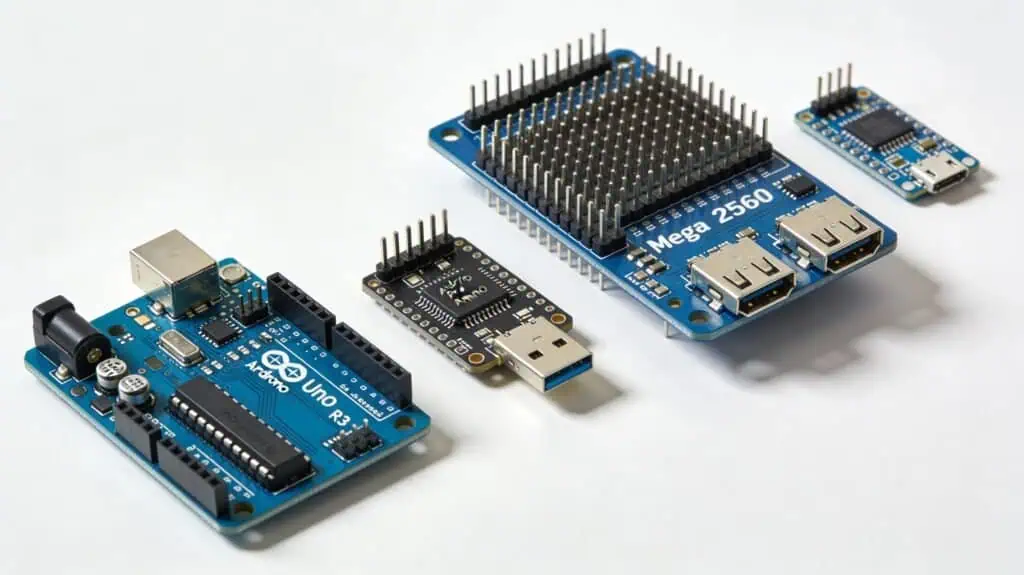
Popular Arduino Board Overview
Arduino Uno R3 remains the learning standard. 14 digital pins, 6 analog inputs, built-in USB programming. At ₹450-600, it’s the baseline every tutorial assumes you’re using.
Arduino Uno R4 WiFi adds 32-bit ARM processor and built-in WiFi to the classic Uno footprint. Skip buying separate WiFi shields—everything’s integrated. LED matrix display included. ₹1,300-1,600.
Arduino Nano shrinks Uno into breadboard-friendly 18x45mm size. Same ATmega328P chip, but fits directly into breadboards. Budget CH340 clones cost just ₹200-400.
Arduino Mega 2560 solves the “not enough pins” problem. 54 digital pins, 16 analog inputs, 4 serial ports. Perfect for robotics needing multiple motors, sensors, and displays connected simultaneously. ₹1,000-1,500.
Arduino Pro Mini drops USB for ultra-compact size (33x18mm) and ₹150-300 price. Requires external FTDI programmer but ideal for permanent battery-powered installations where size matters.
Arduino Leonardo includes native USB, enabling keyboard/mouse emulation. Build custom macro keyboards, game controllers, or USB automation tools. ₹600-900.
Arduino Due delivers 32-bit ARM power at 84MHz with 96KB RAM. Handles complex math and signal processing Uno can’t touch. Warning: 3.3V logic only—5V sensors need level shifters. ₹2,500-3,000.
Quick Comparison: Arduino Boards – Technical Specs
| Feature | Uno R3 | Uno R4 WiFi | Nano | Mega 2560 |
|---|---|---|---|---|
| MCU | ATmega328P | ARM Cortex-M4 | ATmega328P | ATmega2560 |
| Clock Speed | 16MHz | 48MHz | 16MHz | 16MHz |
| Digital Pins | 14 | 14 | 14 | 54 |
| Analog Pins | 6 | 6 | 8 | 16 |
| Flash / RAM | 32KB / 2KB | 256KB / 32KB | 32KB / 2KB | 256KB / 8KB |
| USB Programmer | Built-in | Built-in | Built-in | Built-in |
| Logic Voltage | 5V | 5V | 5V | 5V |
| Price (₹) | 450-600 | 1,300-1,600 | 200-400 | 1000-1,500 |
| Best For | Learning | WiFi projects | Compact size | Many sensors |
Arduino Specialty Boards
| Feature | Pro Mini | Leonardo | Micro | Due |
|---|---|---|---|---|
| MCU | ATmega328P | ATmega32u4 | ATmega32u4 | ARM Cortex-M3 |
| Clock Speed | 16MHz | 16MHz | 16MHz | 84MHz |
| Digital Pins | 14 | 20 | 20 | 54 |
| Analog Pins | 8 | 12 | 12 | 12 |
| Flash / RAM | 32KB / 2KB | 32KB / 2.5KB | 32KB / 2.5KB | 512KB / 96KB |
| USB Programmer | External FTDI | Built-in | Built-in | Built-in |
| Logic Voltage | 3.3V/5V | 5V | 5V | 3.3V only |
| Price (₹) | 150-300 | 600-900 | 500-700 | 2,500-3,000 |
| Best For | Battery projects | USB keyboard | Compact USB | High performance |
Quick decision guide:
- First Arduino? → Uno R3 (₹450-600)
- Need WiFi? → Uno R4 WiFi (₹1,200-1,600) or ESP32 (cheaper)
- Compact size? → Nano (₹200-400) or Pro Mini (₹150-300)
- Many pins needed? → Mega 2560 (₹1,000-1,500)
- USB keyboard/mouse? → Leonardo (₹600-900) or Micro (₹500-700)
- Heavy processing? → Due (₹2,500-3,000)
Hybrid & Edge AI Boards: The Uno Q Era
I burned out three ESP8266 boards (RIP to the D1 and D2 pins) trying to stream live video while controlling motors.
They just couldn’t handle the heat.
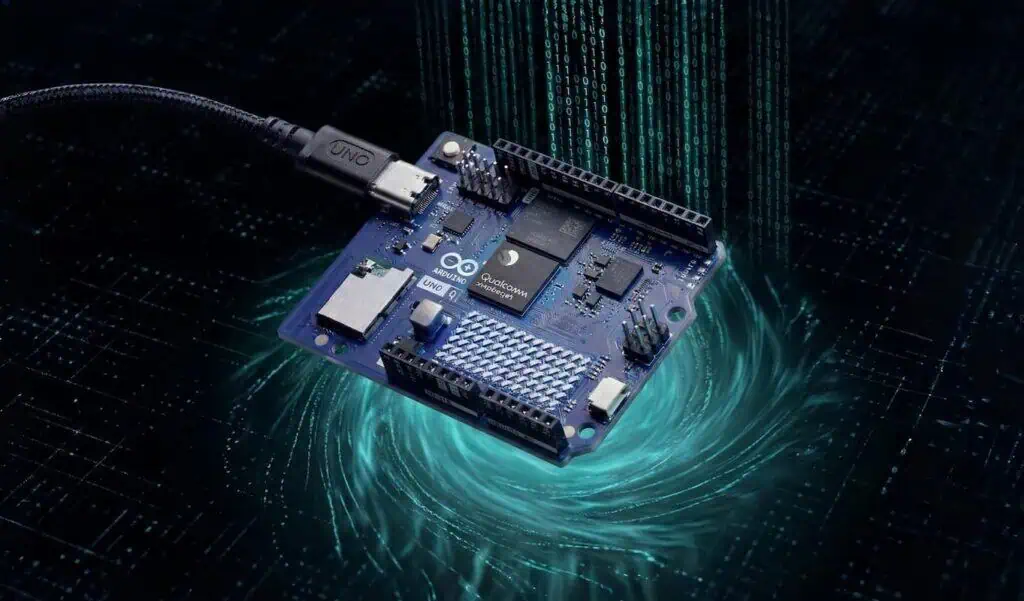
Then the Arduino Uno Q landed on my desk, packing a massive dual-brain architecture.
- The Processor: Qualcomm Snapdragon (Debian OS) + STM32 (Real-time I/O).
- The Cost: Approx ₹4,500 – ₹6,500 (Depending on the 2GB vs 4GB RAM variant).
Why This Matters: Beginners need to know you don’t buy this to blink LEDs. You buy this when a standard board chokes on high-speed computer vision or heavy AI tasks.
Because this board runs a full Debian OS on its eMMC, one bad terminal command will completely lock you out. If you end up with a blinking red light of death, don’t panic. Check out my step-by-step guide on how to safely factory reset your Arduino Uno Q in EDL mode to save your ₹6,500 investment.
Comparison Table: My Lab Data vs Factory Specs
| Feature | Arduino Uno R4 WiFi | Arduino Uno Q (4GB) |
| Operating System | Bare Metal (RTOS) | Full Debian Linux |
| RAM (My Lab) | 32 KB | 4 GB |
| Boot Time | Instant | ~45 seconds |
| Approx Cost | ₹1,300 – ₹1,600 | ₹4,500 – ₹6,500 |
ESP32 Microcontroller Development Boards (SoC with WiFi)
ESP32 packs WiFi, Bluetooth, and dual-core processor into one chip. At ₹350, it costs less than Arduino Uno yet delivers wireless connectivity without external modules.
System on Chip (SoC) design means everything—WiFi radio, Bluetooth controller, microcontroller—lives on a single 5x5mm chip. No separate shields, no complex wiring.
Arduino compatibility: Works with Arduino IDE. Copy your Arduino code, adjust pins, add WiFi instantly.
ESP32 Pin Warning (Read This First!)
Not all GPIO pins work the same. Wrong connections prevent booting.
Safe pins: GPIO 13, 14, 16-19, 21-23, 25-27, 32-33
Avoid:
- GPIO 34-39: Input-only (can’t control LEDs)
- GPIO 0, 2, 12, 15: Boot mode pins
- GPIO 6-11: Internal flash (never use)
Popular ESP32 Boards
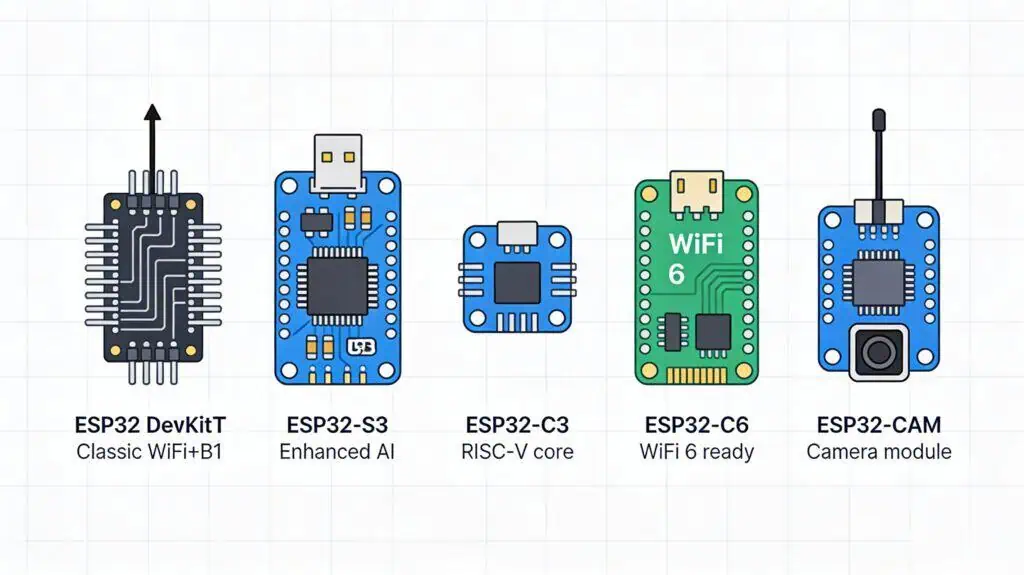
ESP32 DevKit V1 – Most popular. Dual-core 240MHz, ~25 usable GPIO, WiFi + Bluetooth. ₹350-450.
[See ESP32 RFID attendance project →]
ESP32-S3 – Adds AI acceleration, USB OTG, 45 GPIO pins, 8MB PSRAM option. Camera and ML projects. ₹600-900.
ESP32-C3 – Budget RISC-V. 160MHz, 22 GPIO, simpler pins. ₹350-550.
ESP32-C6 – WiFi 6 + Zigbee + Thread for Matter smart home. 30 GPIO. ₹500-700.
ESP32-S2 – WiFi only, 43 GPIO, native USB. No Bluetooth. ₹300-450.
ESP32-CAM – 2MP camera, 16 GPIO, needs external programmer. ₹450-650.
WROOM vs WROVER: WROOM has 520KB RAM (most projects). WROVER adds 4-8MB PSRAM for cameras/displays.
Quick Comparison: ESP32 Main Variants
| Feature | DevKit V1 | ESP32-S3 | ESP32-C3 |
|---|---|---|---|
| CPU Core | Dual 240MHz | Dual 240MHz | Single RISC-V 160MHz |
| WiFi / Bluetooth | 2.4GHz / BT Classic + BLE | 2.4GHz / BLE 5.0 | 2.4GHz / BLE 5.0 |
| GPIO Pins | ~25 usable | 45 | 22 |
| Special Feature | Most popular, proven | AI acceleration, USB OTG | Budget, simple pins |
| Price (₹) | 350-450 | 600-900 | 300-550 |
| Best For | General IoT projects | Camera, AI/ML | Budget WiFi projects |
ESP32 Specialized Variants
| Feature | ESP32-C6 | ESP32-S2 | ESP32-CAM |
|---|---|---|---|
| CPU Core | Single RISC-V 160MHz | Single 240MHz | Dual 240MHz |
| WiFi / Bluetooth | WiFi 6 / BLE 5.3 + Zigbee | 2.4GHz / No Bluetooth | 2.4GHz / BT Classic + BLE |
| GPIO Pins | 30 | 43 | 16 accessible |
| Special Feature | Matter, Thread, Zigbee | Native USB, WiFi-only | 2MP camera, microSD |
| Price (₹) | 500-700 | 300-450 | 450-650 |
| Best For | Smart home Matter | WiFi-only, more pins | Surveillance, QR scanning |
Pick your board:
- First ESP32? → DevKit V1 (₹350-450)
- Camera/AI? → S3 (₹600-900)
- Budget? → C3 (₹300-550)
- Smart home? → C6 (₹500-700)
- WiFi only? → S2 (₹300-450)
- Need camera? → ESP32-CAM (₹450-650)
ESP8266 Microcontroller Development Boards (Budget WiFi MCU)
ESP8266 launched the affordable WiFi revolution before ESP32 existed. Single-core 80MHz processor with built-in WiFi costs just ₹200-350—perfect for simple wireless projects that don’t need Bluetooth or dual cores.
Think of ESP8266 as ESP32’s budget-friendly older sibling. Slower processor, less RAM, fewer pins, but still runs Arduino IDE and handles basic IoT tasks flawlessly. Ideal first WiFi board for learning without breaking the budget.
When to choose ESP8266 over ESP32: Your project needs only WiFi (no Bluetooth), uses fewer than 10 sensors, and budget is tight. Weather stations, WiFi switches, and MQTT sensors work perfectly here.
Popular ESP8266 Boards
NodeMCU ESP8266 is the most recognized ESP8266 board. 11 usable GPIO pins handle typical sensor and relay projects. Built-in USB programmer means plug-and-play—no external FTDI needed. Breadboard-friendly with accessible pin headers. At ₹200-350, it’s the cheapest entry to WiFi development.
Wemos D1 Mini shrinks NodeMCU into compact 34x25mm size while keeping the same ESP8266 chip and capabilities. Perfect for tight enclosures or permanent installations where board size matters. Same 11 GPIO pins, same WiFi performance, smaller footprint. ₹180-300 makes it the budget champion.
Key limitation both share: 80KB RAM fills quickly with large web pages or JSON parsing. Stick to simple MQTT messages, basic web servers, or sensor data transmission.
ESP8266 vs ESP32: Should You Upgrade?
| Feature | ESP8266 | ESP32 |
|---|---|---|
| CPU | Single 80MHz | Dual 240MHz |
| RAM | 80KB | 520KB |
| Bluetooth | ❌ No | ✅ Yes |
| GPIO | 11 | ~25 |
| Price (₹) | 200-350 | 350-500 |
| Choose when | Budget WiFi only | Need performance/Bluetooth |
Decision guide:
- First WiFi project, tight budget? → NodeMCU ESP8266 (₹200-350)
- Compact WiFi device? → Wemos D1 Mini (₹180-300)
- Need Bluetooth or more pins? → Skip to ESP32 DevKit
- Multiple sensors or complex code? → ESP32 worth the extra ₹150
STM32 Microcontroller Development Boards (Professional ARM MCU)
STM32 boards bring industrial-grade ARM processors to makers at hobbyist prices. These 32-bit MCUs handle complex math, real-time control, and professional applications Arduino can’t touch—yet cost as little as ₹200.
Unlike Arduino’s simplified abstraction layer, STM32 development teaches bare-metal embedded C programming. Steeper learning curve, but professional skillset. Think of it as graduating from training wheels to racing bikes.
Key difference from Arduino/ESP32: Most STM32 boards need external ST-Link V2 programmer (₹150-300). No built-in USB programming on budget boards. Worth it for industrial CAN bus support, precise timers, and professional development tools.
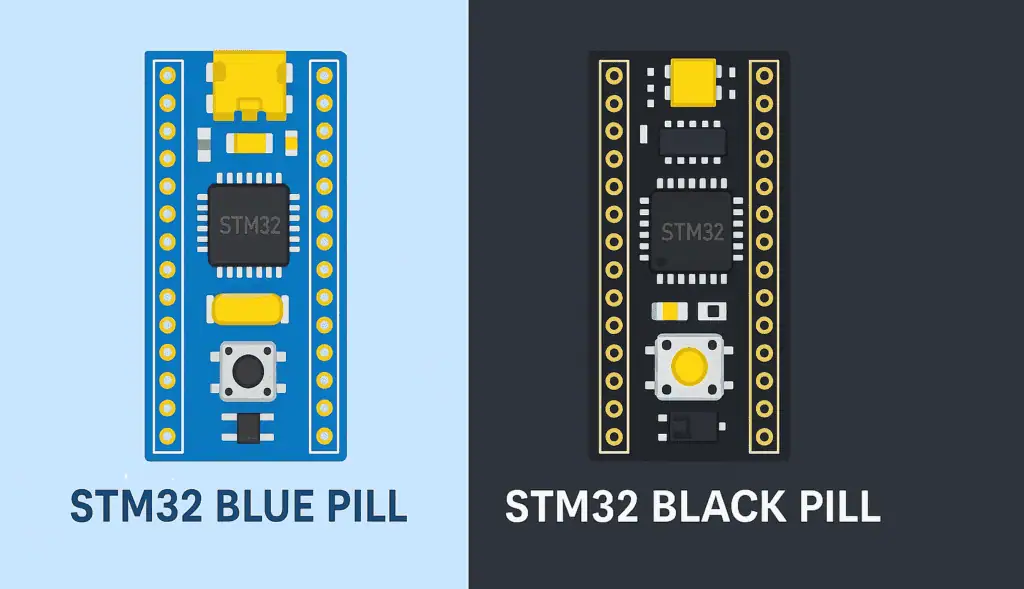
Popular STM32 Boards
STM32 Blue Pill (F103C8T6) – The legendary ₹150-230 board that introduced thousands to ARM development. 72MHz Cortex-M3, 37 GPIO pins, 64KB flash. Requires external ST-Link V2 programmer but offers CAN bus, USB, and industrial-grade peripherals. Perfect for learning ARM before investing in expensive boards.
STM32 Black Pill (F401/F411) – Blue Pill’s faster sibling. 100MHz Cortex-M4 with hardware floating-point unit, 512KB flash, 128KB RAM. Handles DSP algorithms and complex calculations Blue Pill struggles with. Still needs ST-Link programmer. ₹450-650.
STM32 Nucleo Boards – Official ST Microelectronics development boards with built-in ST-Link programmer. Arduino-compatible headers make shields work directly. Available across STM32 families (F0/F1/F4/F7/H7) from basic to high-performance. Professional debugging tools included. ₹1,100-1,700.
STM32 Discovery Kits – Feature-packed boards with built-in sensors, displays, audio codecs, and debuggers. Everything needed for advanced projects out of the box. ₹2,000-3,500.
Programmer note: Budget for ST-Link V2 (₹150-300) if buying Blue/Black Pill. Nucleo and Discovery boards include programmers.
Quick Comparison: STM32 Popular Boards
| Feature | Blue Pill | Black Pill | Nucleo |
|---|---|---|---|
| MCU | ARM Cortex-M3 72MHz | ARM Cortex-M4 100MHz | Various (F0-H7) |
| Flash / RAM | 64KB / 20KB | 512KB / 128KB | Varies by model |
| GPIO Pins | 37 | 37 | 50+ (varies) |
| Programmer | ST-Link required | ST-Link required | Built-in |
| Arduino Shields | No | No | Compatible |
| Price (₹) | 150-230 | 450-650 | 1,100-1,700 |
| Best For | Learning ARM | DSP, performance | Professional dev |
STM32 Advanced Boards
| Feature | Discovery Kits |
|---|---|
| MCU | Various STM32 (F0-H7) |
| Built-in Features | Sensors, displays, audio, debugger |
| Programmer | ST-Link onboard |
| Price (₹) | 2,000-3,500 |
| Best For | Advanced projects, evaluation |
Quick decision:
- Learning ARM on budget? → Blue Pill (₹150-230) + ST-Link (₹150-300)
- Need performance? → Black Pill (₹450-650)
- Professional development? → Nucleo (₹1,100-1,700, programmer included)
- Want everything included? → Discovery Kit (₹2,000-3,500)
Raspberry Pi Pico: RP2040 Microcontroller Board
Raspberry Pi Pico breaks from the Raspberry Pi computer lineup—it’s an actual microcontroller board, not a Linux computer. Designed specifically for embedded projects, MicroPython programming, and Arduino-style development.
Critical distinction: Raspberry Pi 4/5 are microprocessor computers running full Linux. Pico is a microcontroller like Arduino or ESP32. Completely different use cases, same brand name causes confusion.
RP2040 chip design is unique—Raspberry Pi Foundation’s first custom silicon microcontroller. Dual-core ARM Cortex-M0+ at 133MHz with generous 264KB RAM makes it powerful for the ₹350-450 price point.
MicroPython advantage: Pico runs MicroPython natively with official support. Python developers can build hardware projects without learning C. Arduino IDE also supported for traditional embedded C programming.
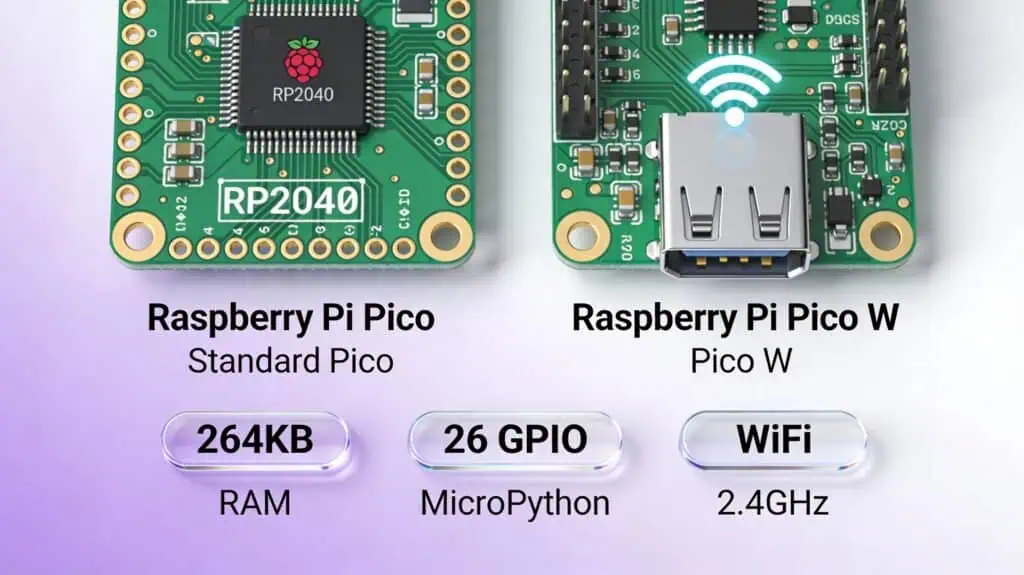
Raspberry Pi Pico Boards
Raspberry Pi Pico (RP2040) – The original. Dual-core 133MHz, 26 GPIO pins, 264KB RAM. No WiFi/Bluetooth, but massive RAM compared to Arduino Uno’s 2KB. Unique PIO (Programmable I/O) feature lets you create custom communication protocols in hardware. ₹350-450.
Raspberry Pi Pico W – Adds Infineon CYW43439 WiFi chip to standard Pico. Same RP2040 processor, same 26 GPIO, now with 2.4GHz wireless. MicroPython WiFi libraries make IoT projects simpler than Arduino + WiFi shield approach. ₹550-800.
PIO feature explained: Both Picos include Programmable I/O blocks that act like mini-processors for handling precise timing on pins. Create custom interfaces (like WS2812 LED control) without consuming main CPU cycles.
Quick decision:
- Want to learn MicroPython hardware? → Pico (₹350-450)
- Need WiFi with Python? → Pico W (₹550-800)
- Need more GPIO than Arduino? → Pico (26 pins)
- Comparing to ESP32? → ESP32 has Bluetooth + more community libraries
- Need Linux computer? → Wrong product, get Raspberry Pi 4/5
Other Popular Microcontroller Development Boards
Teensy 4.0/4.1 – Speed demon of the MCU world. ARM Cortex-M7 running at 600MHz—faster than most ESP32 boards. Teensy 4.1 packs 8MB RAM for handling large audio buffers or real-time signal processing Arduino can’t touch. Native USB audio capabilities make it the go-to for MIDI controllers, synthesizers, and high-speed data acquisition. Tiny 18x36mm footprint despite massive power. ₹2,200-2,800.
Adafruit Feather Series – Unified form factor across different MCU platforms. Every Feather board includes built-in LiPo battery charging circuit and JST connector—plug battery, start building portable projects. Choose your MCU flavor: ESP32 Feather for WiFi, RP2040 Feather for MicroPython, nRF52840 Feather for Bluetooth, SAMD51 Feather for balanced performance. Stackable “FeatherWings” add displays, sensors, or radios without breadboards. ₹1,200-2,500.
Seeeduino XIAO – Thumb-sized powerhouse at 20×17.5mm. SAMD21 ARM Cortex-M0+ running 48MHz with 11 GPIO pins fits wearables, drones, or anywhere size dominates requirements. Arduino IDE compatible. Newer XIAO variants include ESP32-C3 (WiFi/BLE) and RP2040 versions. ₹400-600.
Nordic nRF52840 – Bluetooth Low Energy specialist. ARM Cortex-M4 at 64MHz optimized for ultra-low power wireless sensors. BLE 5.2 support, Thread/Zigbee protocols, and months-long battery life make it ideal for coin-cell powered sensors. Steeper learning curve than ESP32 but unmatched for BLE applications. ₹1,500-2,500.
PIC Microcontroller Boards – Microchip’s legacy platform still dominates industrial settings and automotive applications. Requires PICkit programmer (₹500-1,000). Choose PIC for maintaining existing industrial systems or specific industry requirements, not for hobby projects where Arduino/ESP32 offer easier development.
Quick Comparison: Specialized Boards
| Board | MCU | Clock Speed | RAM | Special Feature | Best For |
|---|---|---|---|---|---|
| Teensy 4.0/4.1 | ARM Cortex-M7 | 600MHz | 1-8MB | USB audio, ultra-fast | Audio DSP, MIDI, high-speed |
| Feather ESP32 | Dual Xtensa | 240MHz | 520KB | WiFi + LiPo charging | Battery WiFi projects |
| Feather RP2040 | Dual ARM M0+ | 133MHz | 264KB | MicroPython + LiPo | Portable Python projects |
| XIAO SAMD21 | ARM Cortex-M0+ | 48MHz | 32KB | Tiny 20×17.5mm size | Wearables, ultra-compact |
| nRF52840 | ARM Cortex-M4 | 64MHz | 256KB | BLE 5.2, ultra-low power | BLE sensors, wireless |
| PIC Boards | Varies | Varies | Varies | Industrial legacy support | Industrial/automotive |
Quick decision:
- Need fastest MCU? → Teensy 4.1 (600MHz)
- Battery-powered portable? → Adafruit Feather (built-in charging)
- Smallest possible size? → Seeeduino XIAO (20×17.5mm)
- Bluetooth Low Energy focus? → nRF52840
- Industrial/automotive? → PIC boards
- Audio/MIDI projects? → Teensy 4.0/4.1 (USB audio)
Microcontroller Development Board Comparison by Use Case
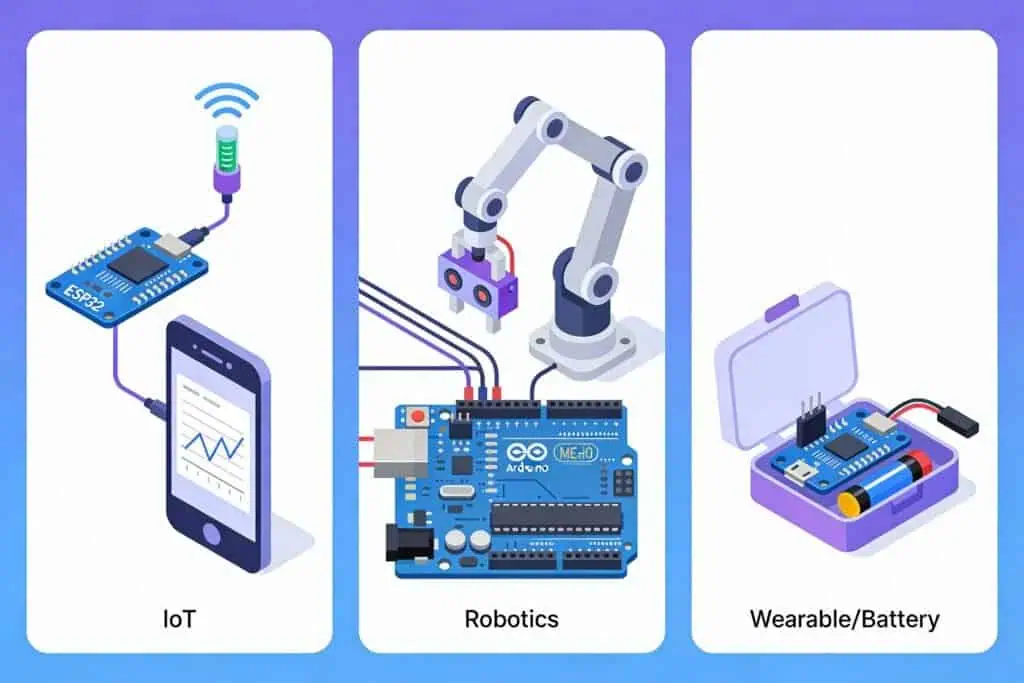
Best MCU Boards for Absolute Beginners
Arduino Uno R3 (₹450-600) wins for first-timers—massive community means every error already has a solution online. NodeMCU ESP8266 (200-350) adds WiFi for just ₹200 more if IoT projects interest you from day one. Both work with Arduino IDE’s beginner-friendly environment.
Best for IoT & WiFi Projects
ESP32 DevKit (₹350-450) dominates IoT with WiFi + Bluetooth, dual-core processing, and Arduino compatibility. ESP32-C3 (₹350-550) cuts costs for simple MQTT sensors. ESP8266 (₹200-350) still works for basic WiFi switches despite limited RAM.
Best for Battery-Powered Projects (Low Power MCU)
ESP32 with deep sleep (₹350-500) drops to 10μA sleep current—wake hourly to send data, run months on batteries. nRF52840 (₹1,500-2,500) optimized for coin-cell operation, runs BLE sensors for years. STM32L series (₹400-800) balances low power with more GPIO than nRF52.
Best Microcontroller Boards for Robotics
Arduino Mega 2560 (₹1,000-1,500) provides 54 pins for multiple motors, sensors, displays simultaneously. Teensy 4.1 (₹2,000-2,800) at 600MHz handles complex calculations and computer vision in real-time. ESP32 (₹350-500) adds wireless control via Bluetooth gamepad or WiFi web interface.
Best for Edge AI & Machine Learning
ESP32-S3 (₹600-900) includes vector instructions for TensorFlow Lite models—gesture recognition, keyword spotting without cloud. Teensy 4.1 (₹2,000-2,800) with 600MHz and 8MB RAM handles larger neural networks. Both run tiny models only; complex AI needs Raspberry Pi 4 or dedicated accelerators.
Best Mini Development Boards (Compact Size)
Arduino Nano (₹200-400) at 18x45mm, Wemos D1 Mini (₹180-230) at 34x25mm with WiFi, Seeeduino XIAO (₹400-600) at thumb-sized 20×17.5mm. Arduino Pro Mini (₹150-250) smallest at 33x18mm but needs external programmer. Choose based on size constraints and wireless needs.
Best Budget MCU Boards Under ₹500
Top picks: ESP32 DevKit (₹350-500) best overall value with WiFi+Bluetooth, ESP8266 NodeMCU (₹200-350) cheapest WiFi, Arduino Nano (₹200-400) compact Arduino, STM32 Blue Pill (₹200-350) professional ARM. Raspberry Pi Pico (₹350-450) for MicroPython, Pro Mini (₹150-250) ultra-budget needs external programmer.
Best for Learning Embedded C Programming
STM32 Blue Pill (₹200-350) forces understanding of registers, interrupts, and peripherals directly—no abstraction layers hiding complexity. Arduino Nano (₹200-400) bridges beginner-to-professional, starting with libraries then gradually exploring AVR registers. Both teach transferable embedded C skills for professional development.
Programming Microcontroller Development Boards
Arduino IDE (Universal Programmer Tool)
Supports: Arduino, ESP32, ESP8266, STM32, RP2040
Best for: Beginners, rapid prototyping
Why choose: Simplest setup, largest library ecosystem, one-click upload. Install board support packages to program almost any MCU with same familiar interface.
Platform.io (Advanced Multi-Board)
IDE: VS Code extension
Supports: All major MCU boards
Best for: Professional development, version control, team projects
Why upgrade: Built-in library manager, integrated debugging, Git-friendly project structure. Steeper learning curve but worth it for complex projects.
MicroPython (Python on MCU)
Supports: ESP32, RP2040 Pico (official support)
Best for: Python developers, rapid prototyping
Why choose: Write hardware code in Python—no compilation, instant testing. Trade-off: slower execution than C, fewer libraries than Arduino.
STM32CubeIDE (STM32 Official)
For: STM32 boards only
Feature: HAL library, graphical pin configuration, auto code generation
Why choose: Professional STM32 development with manufacturer tools. Free debugger included. Overkill for hobby projects—stick with Arduino IDE or PlatformIO unless doing industrial STM32 work.
Board Programmers & Bootloaders
Built-in USB programmer: Most Arduino, ESP32, ESP8266 boards—plug USB cable, upload code directly.
External programmer needed:
Arduino Pro Mini → FTDI adapter (₹150-300)
STM32 Blue/Black Pill → ST-Link V2 (₹150-300)
Bootloader explained: Small program on MCU enabling USB programming without external hardware. Pre-installed on Arduino Uno, Nano, Mega. Missing on Pro Mini and STM32 budget boards.
Where to Buy Microcontroller Development Boards in India
Trusted Online Retailers
Robocraze.com – Best value for money. Lower prices while maintaining genuine products. Free delivery above ₹500 (beginner-friendly). Recommended for students and hobbyists.
Robu.in – Premium quality retailer, excellent customer support. Genuine parts guaranteed. Free delivery above ₹1,000. Slightly higher prices (₹20-100 more) but worth it for authenticity assurance.
Amazon.in – Best customer support and easy returns. Higher prices than specialized retailers. Good for urgent delivery. Check “Fulfilled by Amazon” for authenticity.
Others: Electronicwings.com, Thingbits.in, Quartzcomponents.com
How to Spot Fake/Clone MCU Boards
Visual inspection:
- Blurry or misspelled chip markings (genuine chips have crisp text)
- Missing official brand logos
- Poor soldering with visible flux residue
- Loose USB ports that wobble
- Suspiciously low prices (₹200 “Arduino Uno” = fake)
Functional tests:
- Slow upload speeds indicate cheap USB chips
- Unstable voltage readings (should be steady 3.3V/5V)
- Overheating during idle operation
Original vs Clone: When Clone is OK
Arduino clones are FINE – Open-source hardware means quality clones work identically to originals. CH340 USB chip needs driver, FTDI is plug-and-play—both function perfectly.
ESP32 clones vary – Most use genuine Espressif chips in non-official board designs. Check for clear “ESP32-WROOM” or “ESP32-S3” module markings. Avoid unmarked boards.
STM32 clones are risky – Fake chips exist with wrong specifications. Blue Pills notorious for counterfeit silicon. Buy from trusted retailers only.
Bottom line: Arduino clones safe, ESP32 usually fine, STM32 needs caution.
What’s Next? Learn IoT Fundamentals
What IoT Means: A Beginner’s Guide to the Internet of Things